
Optimiser. Gateway.
SolarSync™.
Panel-level MPPT, rapid shutdown and monitoring. Data runs over the DC cable, so there is no Wi-Fi to fail on the roof.
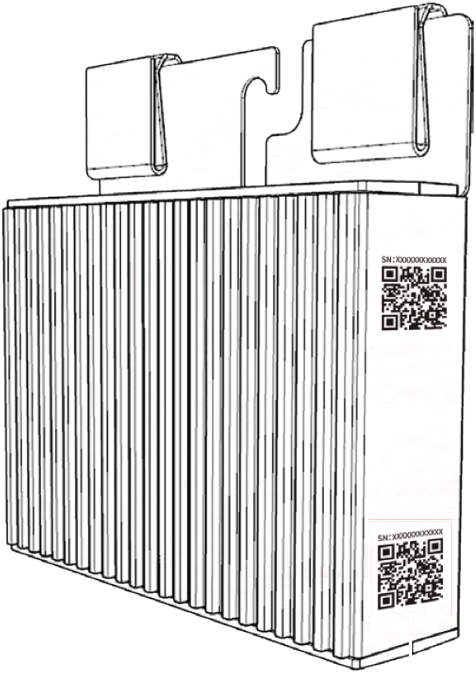
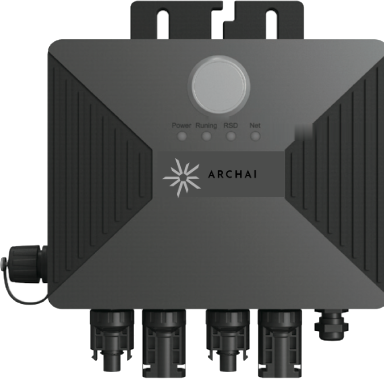
One string. One gateway. Any certified inverter.
The gateway sits in series between the string and the inverter. Power flows through; data rides the DC cable.
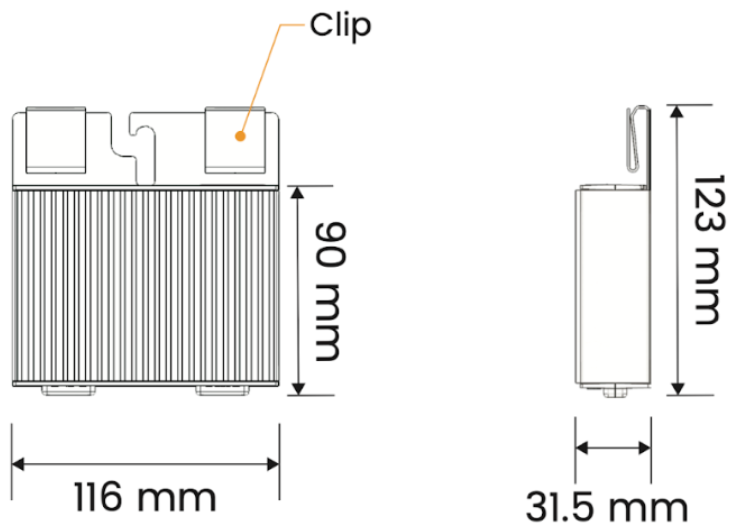
Archai iOPT 800W
Fits behind each panel. Tracks the maximum power point, reports live data and drops output to 0 W on shutdown.
Every panel at its peak
Shade, soiling and mixed orientations no longer pull down the string.
Shutdown at the panel
Voltage drops at each module for safe maintenance and emergency access.
Wired data
Communicates over the existing DC cabling. Fewer dropouts, fewer callbacks.
Genuine Stäubli MC4. The premium-panel standard.
Every Archai optimiser ships with genuine Stäubli MC4 connectors (PV-KBT4 / PV-KST4), the connector family that premium module makers fit to their panels.
- MULTILAM contact: sprung copper lamellae hold contact resistance below 0.25 mΩ
- Rated 1100 V DC (IEC) / 1500 V DC (UL), 39 A on 4 mm² cable
- IP68 mated, IP2X finger-safe unmated, −40 to +85 °C
- Like-for-like only: certification under IEC 62852 covers a mated pair from one maker. Cross-mating voids it and is a leading cause of DC arc faults.
- Positive click-lock, opened only with the Stäubli tool
| Connector system | Stäubli MC4 · PV-KBT4 (female) / PV-KST4 (male) |
|---|---|
| Rated voltage | 1100 V DC (IEC) · 1500 V DC (UL) |
| Rated current, 4 mm² | 39 A (IEC) · 35 A at 12 AWG (UL) |
| Contact resistance | < 0.25 mΩ |
| Contact system | MULTILAM · copper, tin plated |
| Impulse withstand | 16 kV |
| Protection | IP65 / IP68 mated (1 m, 1 h) · IP2X unmated |
| Ambient temperature | −40 °C to +85 °C · upper limit 105 °C |
| Housing | PC/PA · UL94 V-0 · pollution degree 3 |
| Connection | Crimped · max. 100 mating cycles |
| Standards | IEC 62852 · UL 6703 · TÜV Rheinland |
| Model | Archai iOPT 800W |
|---|---|
| Max input power | 800 W |
| Max voltage | 70 V |
| MPPT voltage range | 12–60 V |
| Max continuous input current | 21 A |
| Max input short-circuit current | 23 A |
| Max continuous output current | 21 A |
| Max output power | 780 W |
| Output voltage (without gateway) | 0–60 V |
| Output during shutdown | 0 W |
| Max system voltage | 1500 V |
| Voltage accuracy | 1 ± 0.1 V |
| Peak MPPT efficiency | ≥ 99.7% |
| Night self-consumption | ≤ 0.5 W |
| Communication | PLC |
| Reported data | PV voltage, output voltage, current, power, temperature, state |
| Protection | Input overvoltage, output overcurrent, output overload, high temperature |
| Dimensions (W × D × H) | 116 × 31.5 × 123 mm |
|---|---|
| Weight | 0.865 kg |
| Cable lengths | IN+ 200 / IN− 1100 / OUT+ 750 / OUT− 750 mm |
| Cable size | 4 mm² (12 AWG) |
| Connectors | Genuine Stäubli MC4 |
| Ingress protection | IP68 |
| Humidity | 0–100% RH |
| Operating temperature | −40 °C to +65 °C |
| Cooling | Natural convection |
| Mounting | Wall-mounted / screw locking |
| Certification | Rheinland, CA |
| Packaging | 28 pcs/ctn, 840 pcs/pallet or 5 pcs/ctn, 40 pcs/pallet |
Archai GT Data Gateway
Sits in series between the string and the inverter. Reads optimiser data over PLC, sends it to SolarSync, and triggers rapid shutdown.
Fit optimisers
One per panel, MC4 in and out.
Wire the gateway in series
Last OUT+ to inverter PV+. First OUT− through the GT ring to PV−. Add a 90–264 V AC supply.
Self-test, then map in SolarSync
10-minute self-test from the GT button, then place each optimiser on the layout.
| Model | Archai GT |
|---|---|
| Pairs with | Archai iOPT 800W |
| Optimisers per gateway | Up to 30 |
| Max system voltage | 1500 V |
| AC input | 90–264 V, 50/60 Hz |
| Max AC input power | 5 W |
| Max AC input current | 0.1 A @ 90 V AC |
| Comms to optimisers | PLC |
| Comms upstream | 2.4 GHz Wi-Fi / RS485 |
| Start-up | Press once until “Running” lights (< 5 s) |
| Rapid shutdown | Press once until “RSD” lights, or remove AC power (< 30 s) |
| EMC | IEC 61000-6-1 / -6-2 / -6-3 |
|---|---|
| Safety | IEC 62109-1 |
| RoHS | Compliant |
| Dimensions (W × D × H) | 140 × 33.5 × 175 mm |
| Weight | 0.88 kg |
| AC cable | 1 m |
| Ingress protection | IP67 |
| Operating temperature | −40 °C to +70 °C |
| Connectors | Stäubli MC4 |
| Mounting | Wall-mounted / screw locking |
SolarSync™
Mobile and desktop. Live panel-level data from one roof to a whole portfolio.
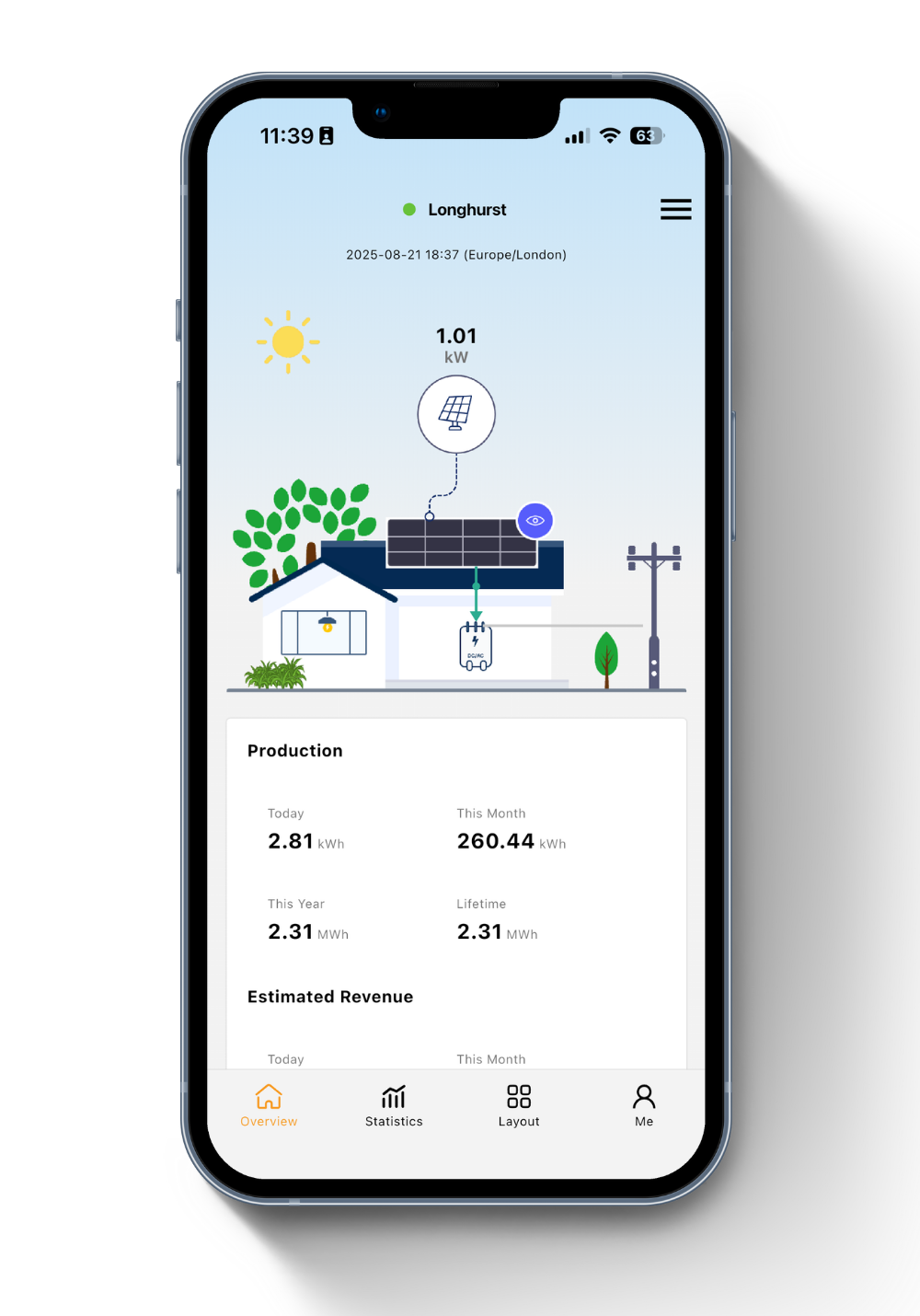
Home view
System status, live output and health at a glance.
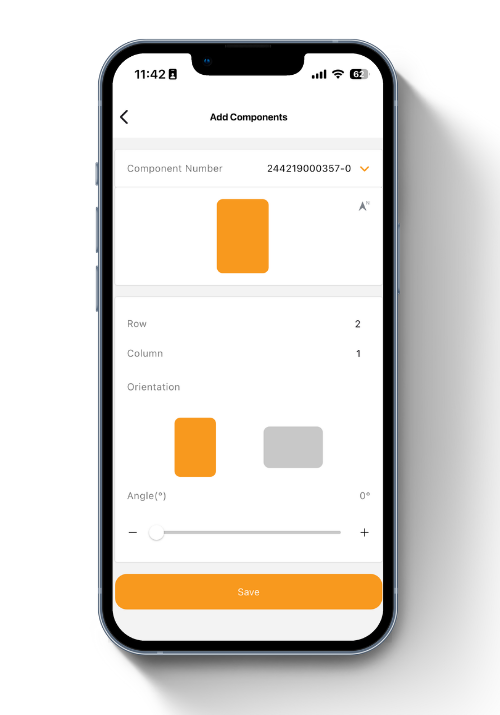
Drag-and-drop set-up
Build the array layout visually during commissioning.
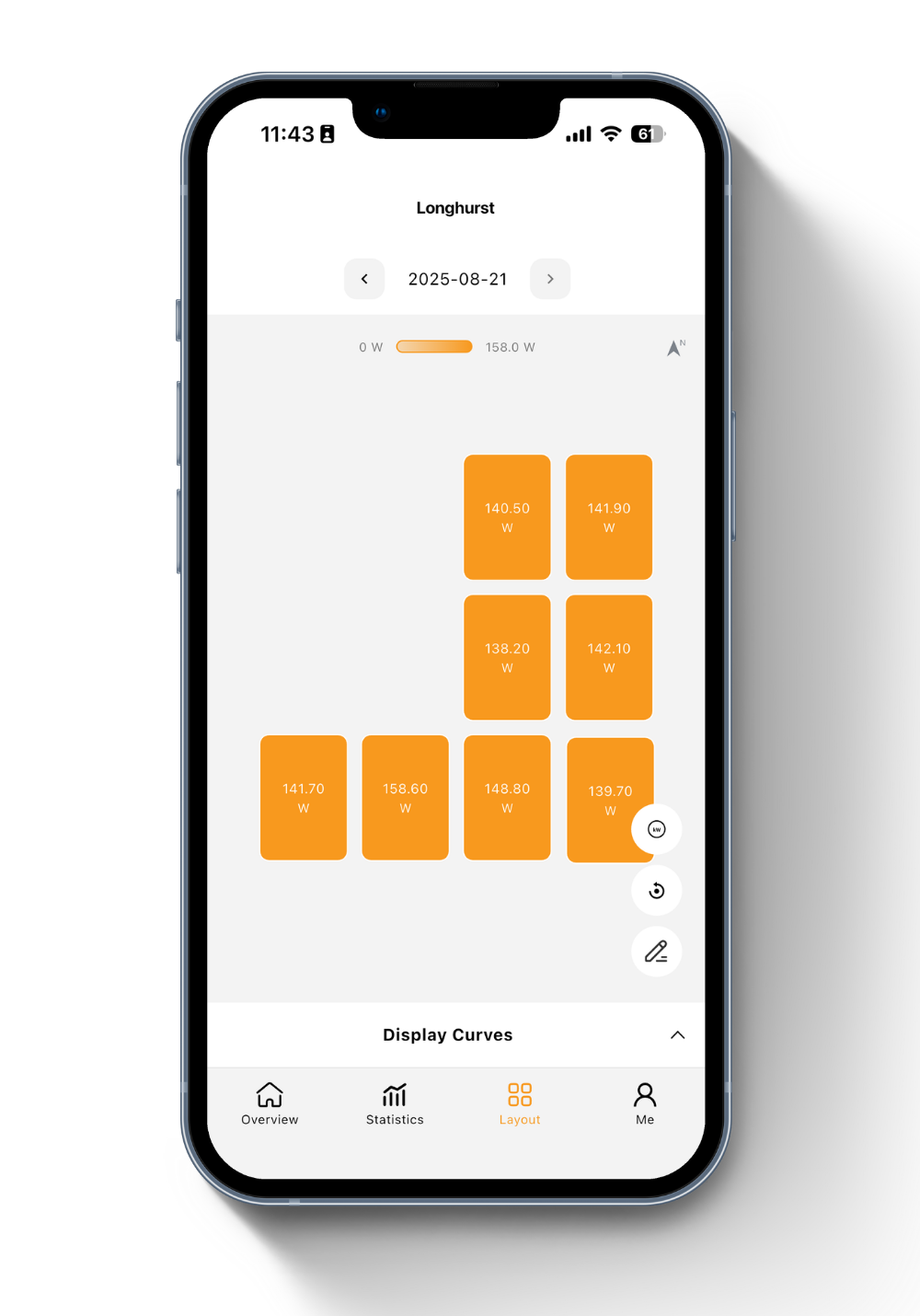
Panel-level view
Real-time power for every module. Spot the fault before the visit.
Production & savings
Generation, savings and carbon data for reporting.
Multi-site dashboard
Compare and manage many sites in one place. Built for installers and asset managers.
Fault alerts
Performance changes flagged early, with the exact panel identified.